
Horse import, synchronization & pedigree viewing
With the new integration between Equicty Equstable and Hippomundo.com, you can easily import and synchronize horses directly in your Equstable account. Core data such as birth year, gender, UELN, colour, and 4-generation pedigree are retrieved automatically.
This integration allows you to create, complete and manage horse profiles faster — ideal for stables, training centers and breeding facilities wanting to maintain their horse administration efficiently.
Table of Contents
1. Add a horse via Hippomundo
Go to Profiles → Horses
Click + New Horse
Choose Import via Hippomundo
Search the horse by name / UELN / lineage
Select the correct horse from the list
Complete the profile with additional data such as:
Owner(s)
Stable group / Arrival date
Optional extra information
Click Save
The horse will be created and synchronized automatically.
Details such as birth information, gender, UELN, colour and pedigree will be imported.
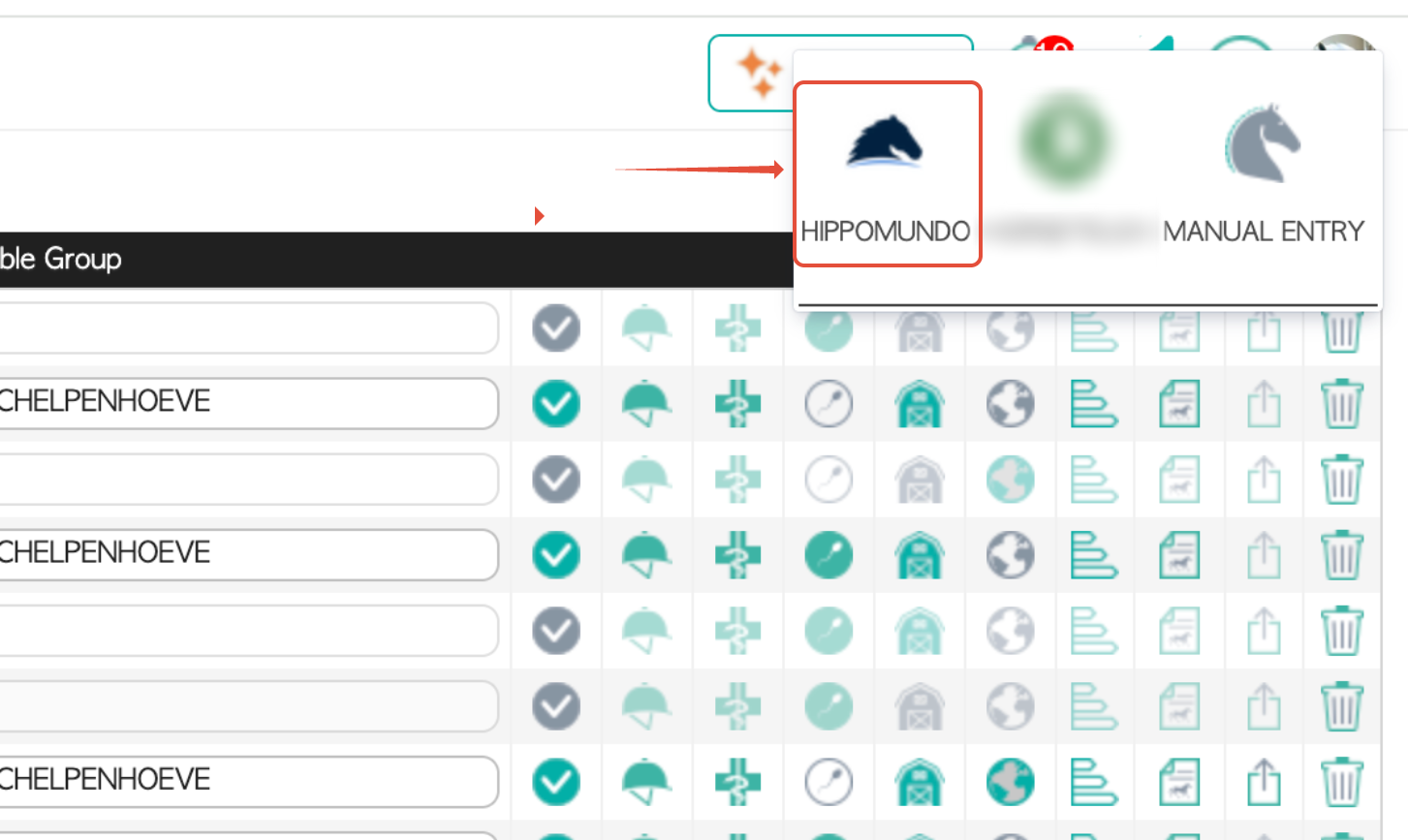
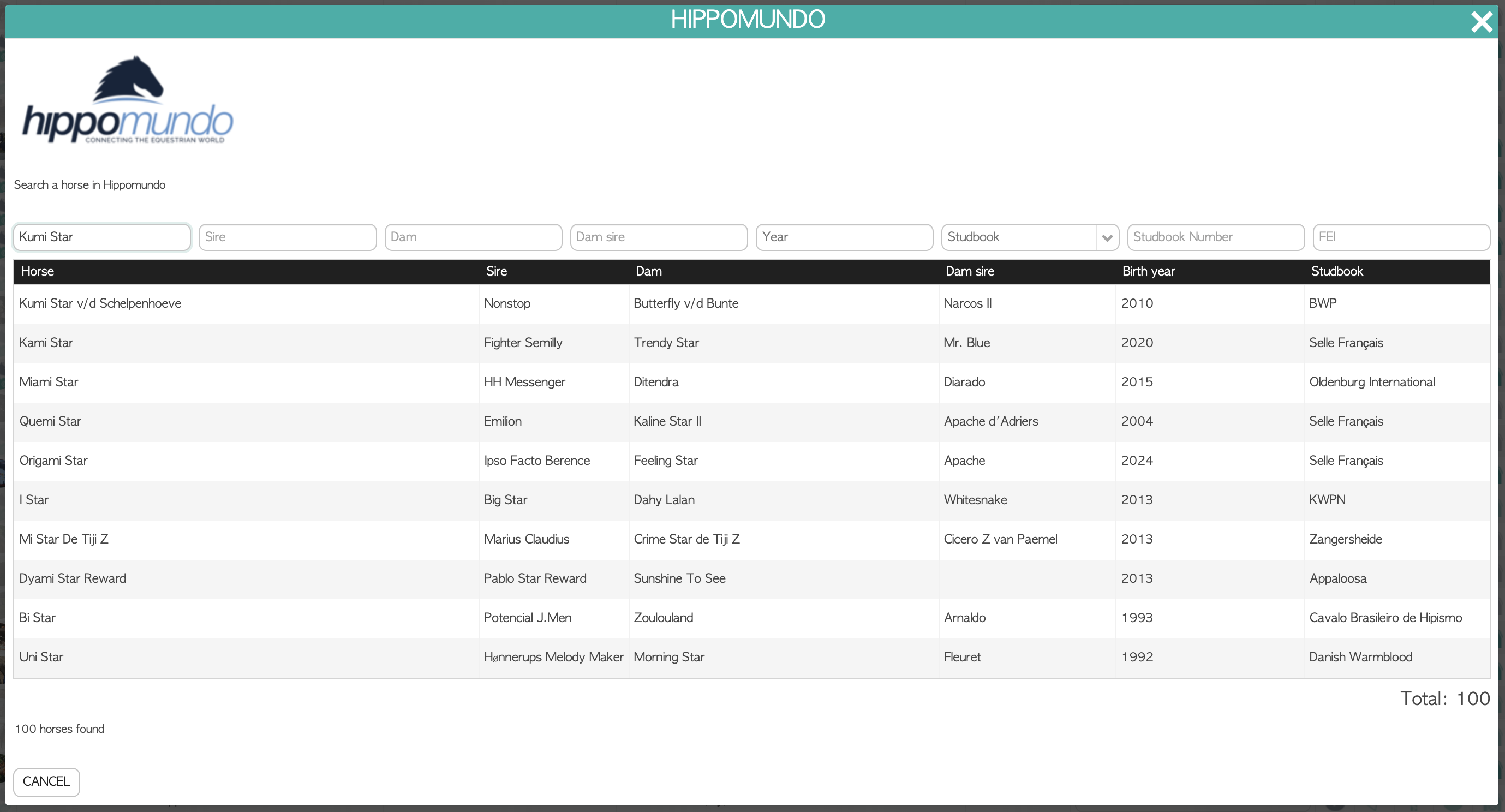
2. Synchronize an existing horse with Hippomundo
Go to Profiles → Horses
Open the desired horse profile
Click ⋯ (options) in the Horse info box
Select Sync with Hippomundo
If multiple matches appear, select the correct horse
Confirm to update and complete the profile with retrieved data
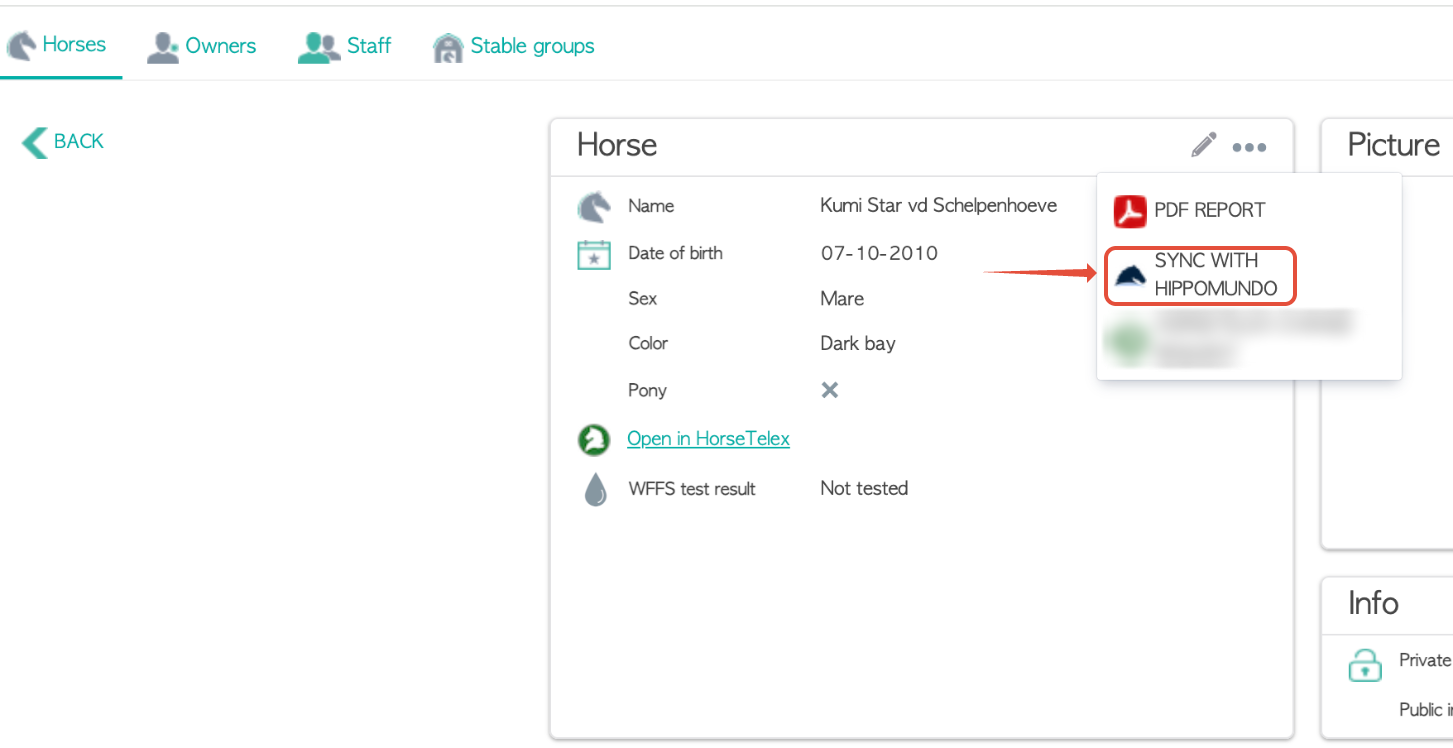
3. Request modifications from Hippomundo
If a detail needs to be corrected or updated:
Open the horse profile
Click ⋯ (options) → Request change via Hippomundo
You will be redirected to the official Hippomundo modification form
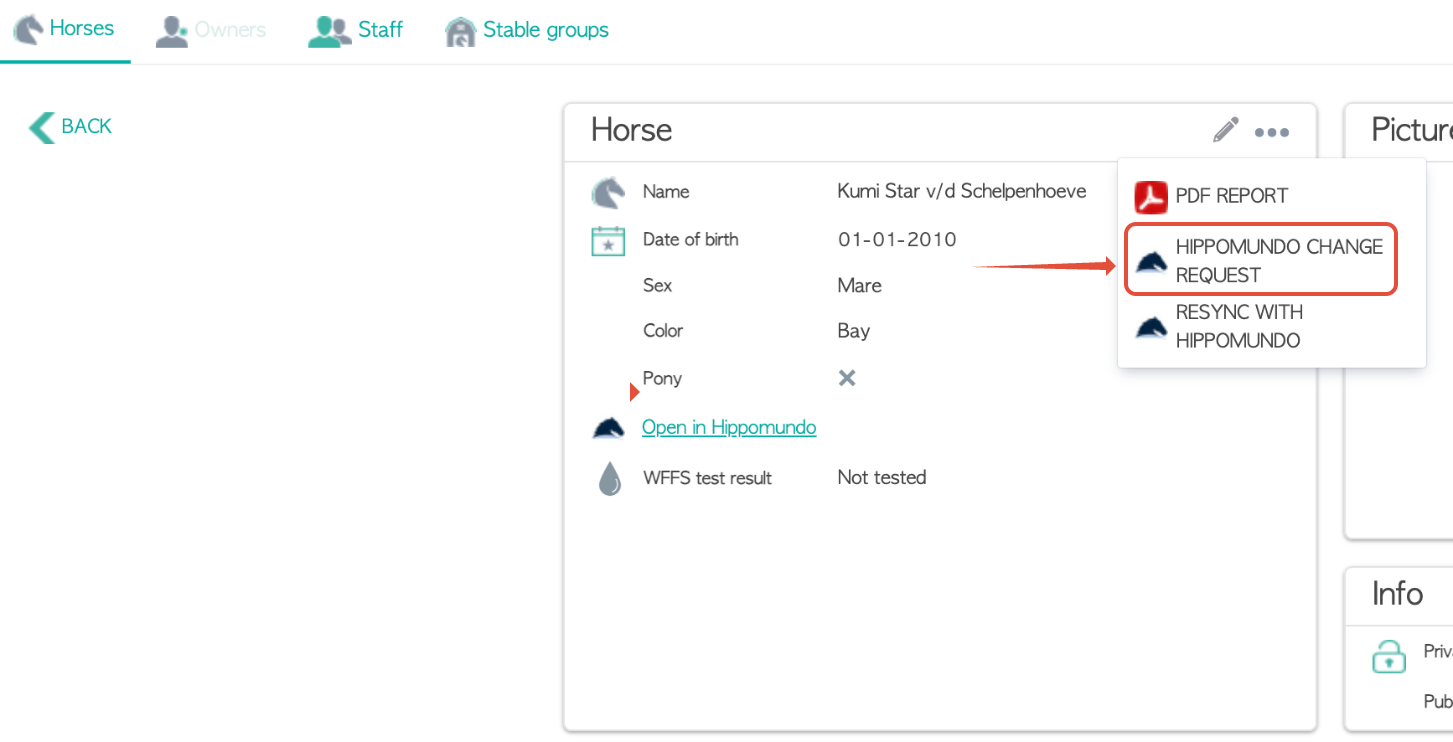
4. View pedigree inside Equstable
You can access the pedigree in two ways:
a) From the horse list
Click the Hippomundo icon next to the horse
b) From inside the horse profile
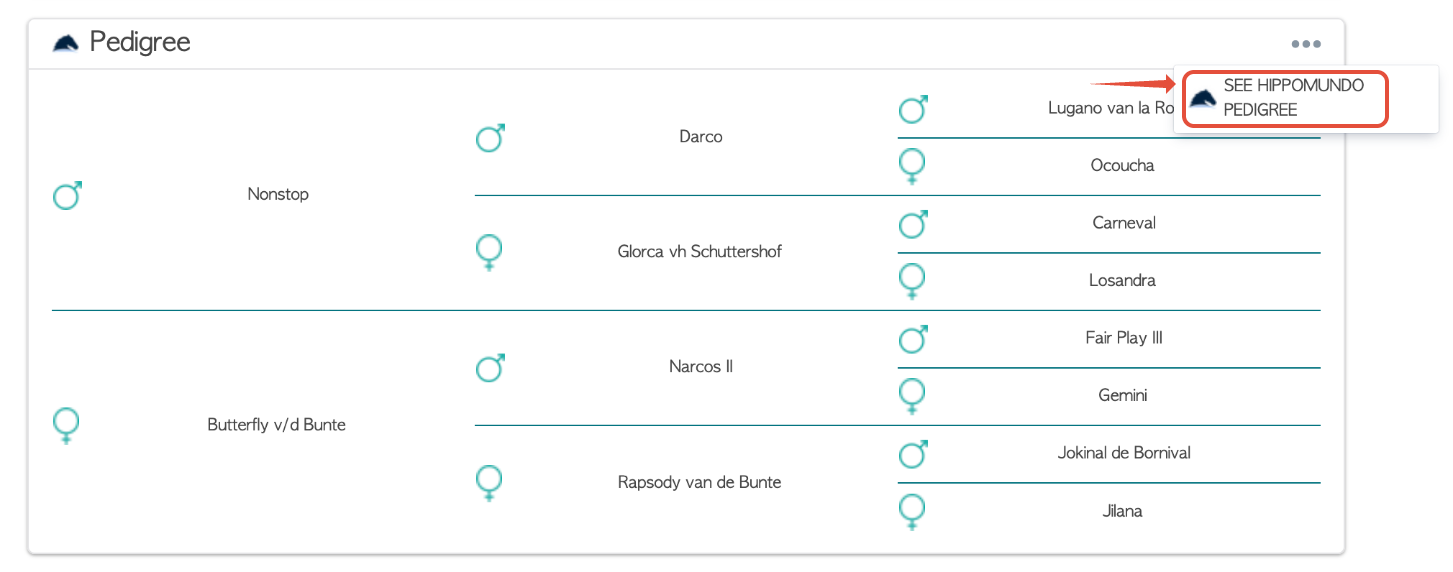
Scroll to the Pedigree section → the 4-generation lineage loads automatically
If you have questions or wish to share feedback, feel free to contact us:
? Support documentation: https://support.equicty.com/
? Email: support@equicty.com
Was this article helpful?
That’s Great!
Thank you for your feedback
Sorry! We couldn't be helpful
Thank you for your feedback
Feedback sent
We appreciate your effort and will try to fix the article