From 1 September 2026, the obligation to issue electronic invoices will be introduced progressively in France.
Once electronic invoicing has been activated for your French company in Equicty, you can send electronic invoices directly from Equicty.
Before you start
Electronic invoicing must first be activated for your French company, and the sending status must be Active.
See: HOWTO: Activate Electronic Invoicing in France with Equicty
- 1. Create your invoice
- 2. Check the invoice before sending
- 3. Click Send
- 4. Select Send via the Peppol network
- 5. Select the attachments
- 6. Confirmation of sending
- 7. Track the electronic invoice status
- 8. Check the sending history
- 9. View the electronic invoice and attachments again
- 10. How is the electronic invoice sent?
- 11. I cannot send my invoice electronically
- 12. Good to know
1. Create your invoice
Create your invoice in Equicty as you normally would.
Go to:
Invoicing → Invoices
Select the appropriate company and create a new invoice, or open an existing invoice that still needs to be sent.
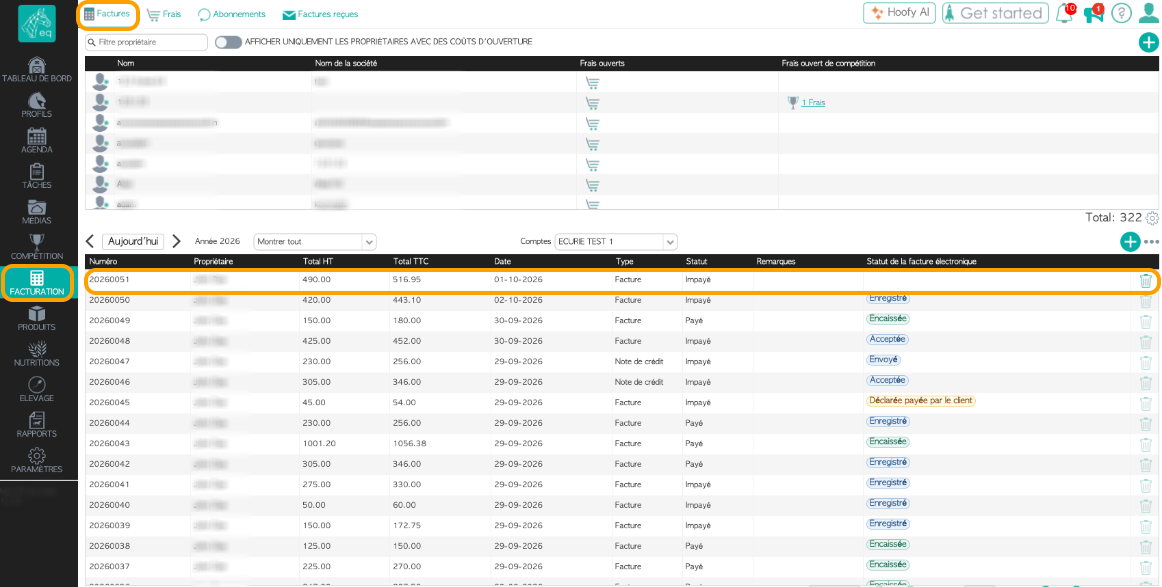
In addition to the usual invoice information, the invoice overview contains the following column:
Electronic invoice status
You can use this column to track the electronic status of your invoices after they have been sent.
2. Check the invoice before sending
Open the invoice and check the information before sending it electronically.
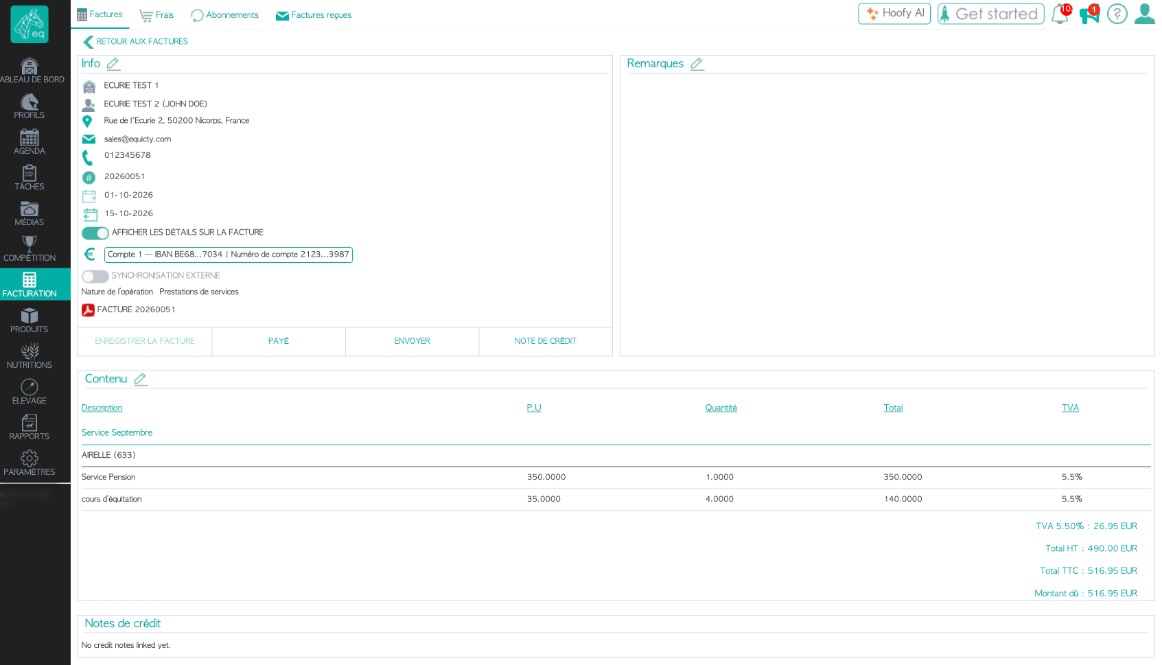
Check, among other things:
- the company issuing the invoice;
- the customer;
- the invoice number;
- the invoice date;
- the due date;
- the invoice lines;
- the amounts;
- VAT;
- the payment terms;
- the bank account;
- the nature of the transaction.
For French electronic invoices, the nature of the transaction can indicate, for example, whether the invoice relates to the supply of goods, the provision of services, or a combination of both.
Also make sure that the customer's details are correct and complete. This information is used to route the electronic invoice to the correct recipient.
3. Click Send
Once the invoice is ready, click:
Send
at the bottom of the invoice.
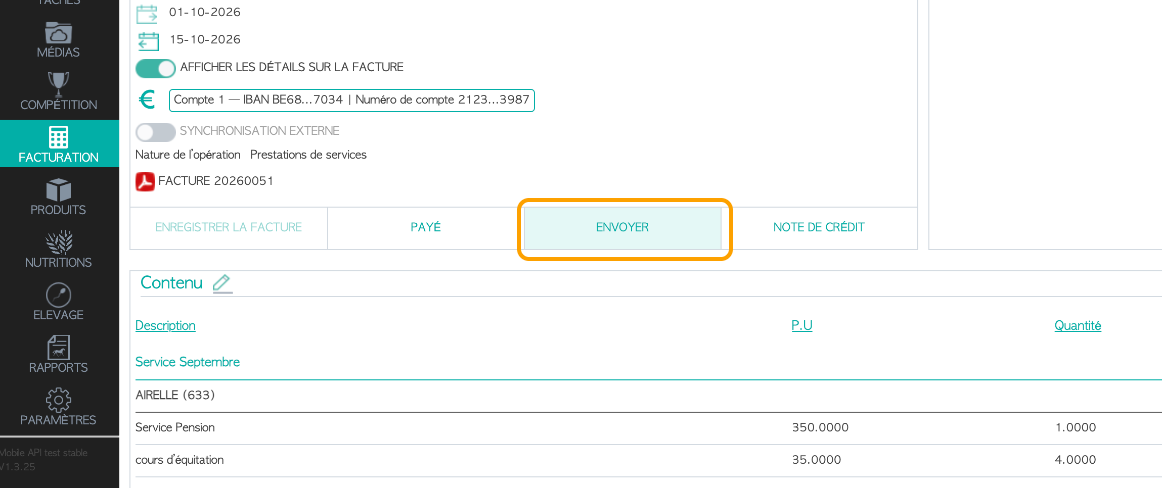
Equicty will then display the available sending methods.
4. Select Send via the Peppol network
Select:
Send via the Peppol network
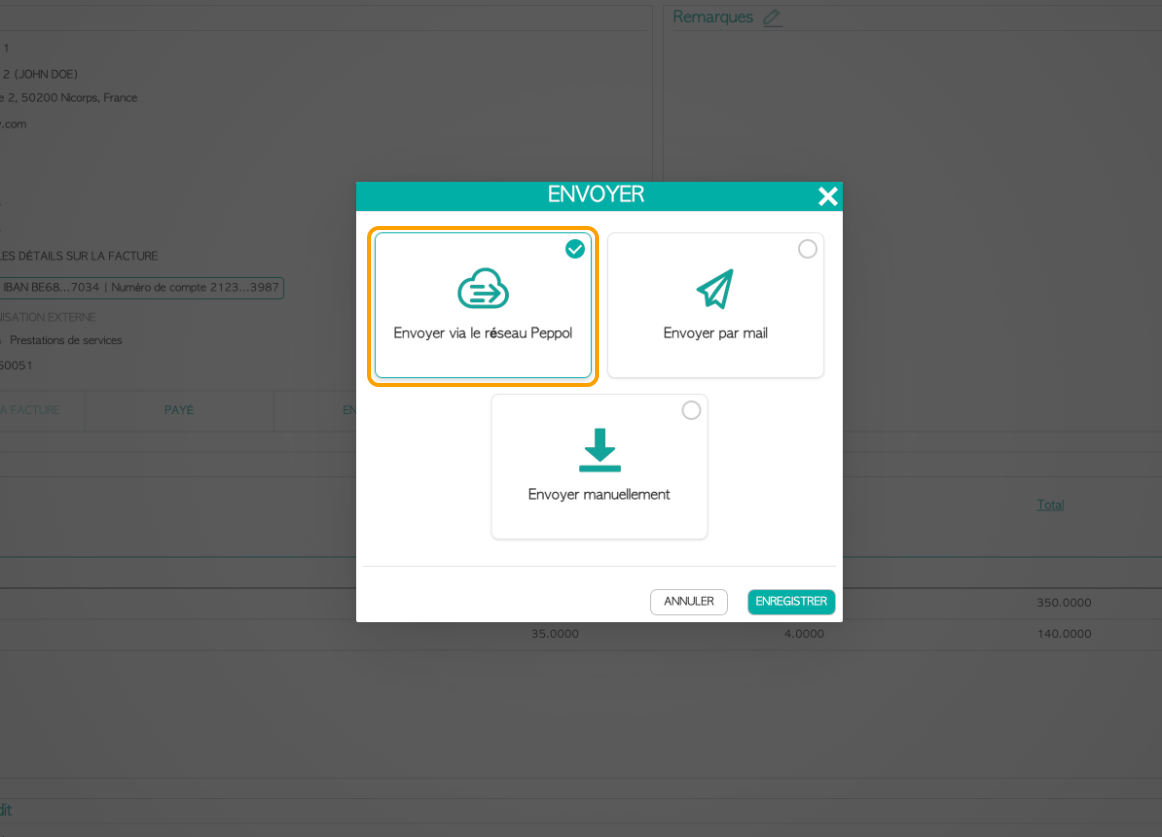
Then click Save to continue.
Important
To send an electronic invoice, use the electronic sending method. Sending an invoice as a regular PDF by email is not the same as sending a structured electronic invoice.
5. Select the attachments
When sending the electronic invoice, Equicty displays the attachments that can be included with the invoice.
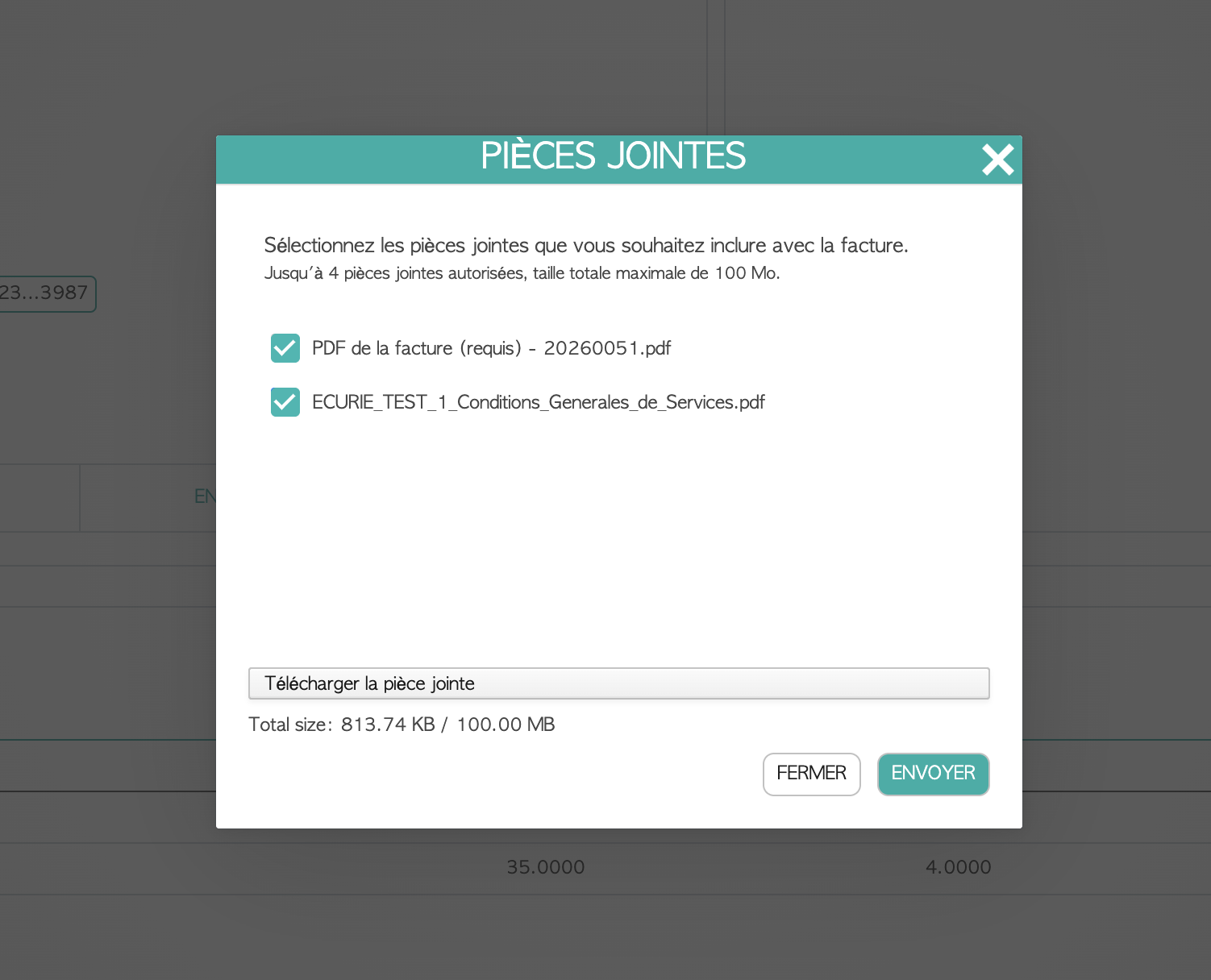
The PDF version of the invoice is included by default.
If you have added other documents to the invoice, you can also select them to be sent together with the electronic invoice.
These could include, for example:
- terms and conditions;
- a purchase order;
- a contract;
- a specification;
- other documents related to the invoice.
You can include up to 4 attachments, with a maximum total file size of 100 MB.
Check the selected documents and then click:
Send
6. Confirmation of sending
Once the electronic invoice has been sent successfully, Equicty displays a confirmation.
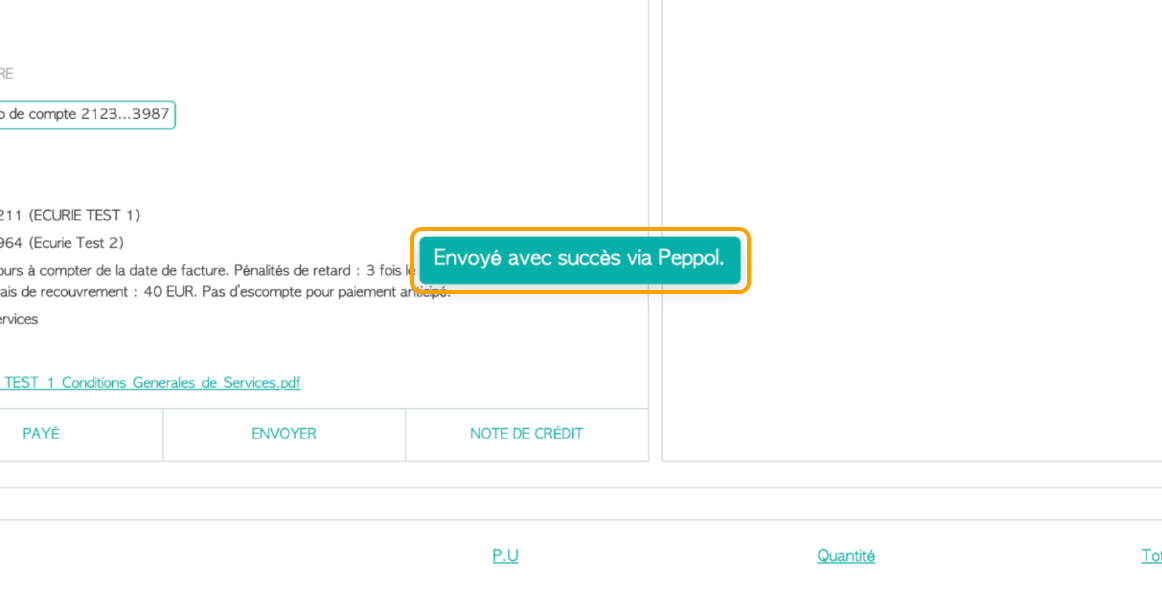
For example, you will see:
Successfully sent via Peppol.
The invoice information will then also display information about the electronic transmission, including its electronic status and the electronic identifiers of the sender and recipient.
7. Track the electronic invoice status
After sending, you can track the electronic status of the invoice directly in Equicty.
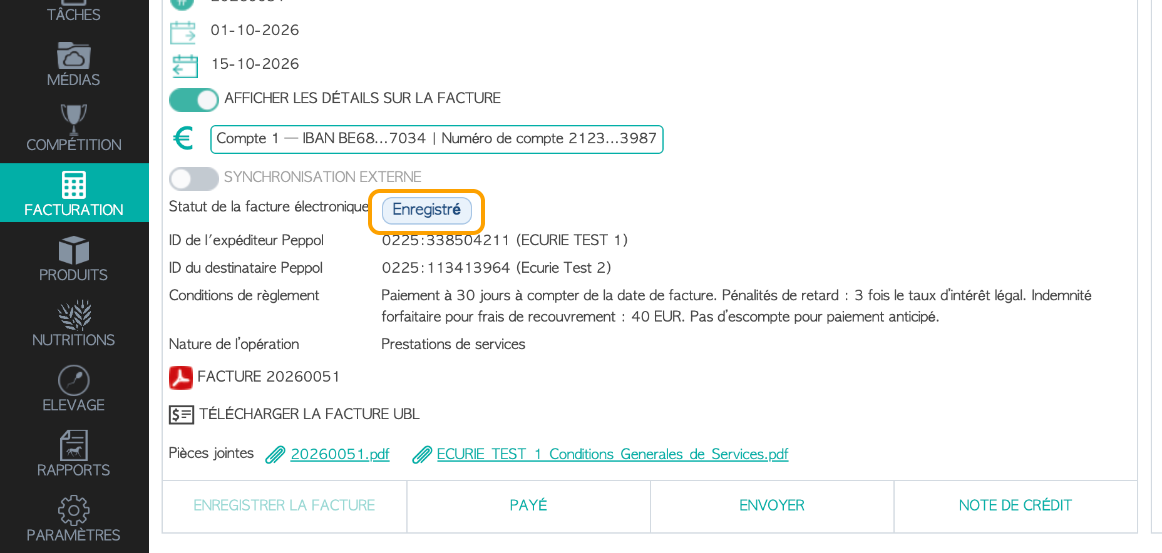
The electronic invoice status is separate from the invoice's regular payment status.
For example, an invoice may still be Unpaid from a financial perspective while its electronic transmission has already been successfully registered.
In the invoice overview, you will find a separate column for this:
Electronic invoice status
This allows you to quickly see where each invoice is in the electronic processing flow.
Good to know
The regular invoice status and the electronic invoice status serve different purposes. The regular status tracks the financial processing of the invoice, while the electronic status provides information about its electronic processing and exchange.
8. Check the sending history
At the bottom of the invoice, the Notes section also contains a history of the invoice processing.
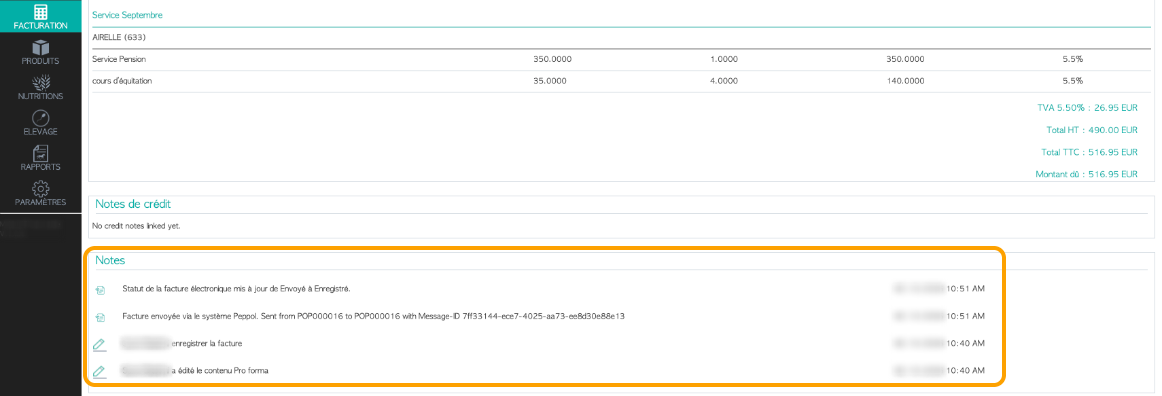
Equicty records events related to the invoice here, including its electronic transmission and changes to its electronic status.
This history provides an additional way to check when an invoice was sent and how it was processed electronically.
9. View the electronic invoice and attachments again
After sending, the invoice and its related documents remain available on the invoice detail page.
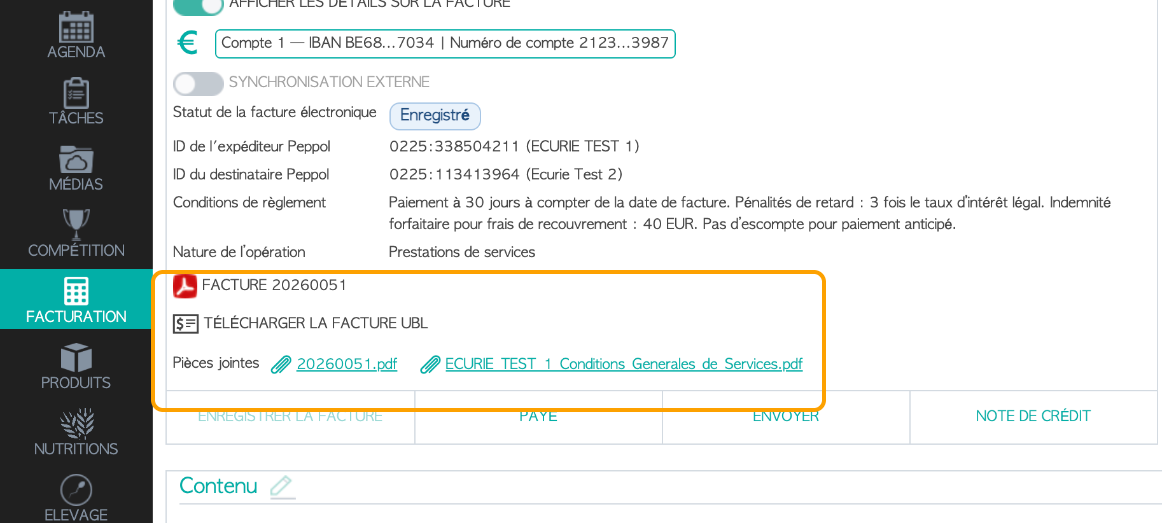
Here you can, among other things:
- open the PDF version of the invoice;
- download the UBL invoice;
- view the attachments;
- check the electronic status;
- verify the electronic identifiers.
What is the UBL invoice?
UBL is a structured electronic format that allows invoice data to be exchanged and processed automatically between different systems.
An electronic invoice therefore consists of more than its visual PDF representation. The structured data is an essential part of the electronic invoice.
10. How is the electronic invoice sent?
When you send an electronic invoice from Equicty, it is transmitted to the recipient through the electronic invoicing infrastructure.
For electronic invoicing in France, Equicty uses B2Brouter as its Plateforme Agréée (PA).
The Plateforme Agréée provides the connection to the French electronic invoicing ecosystem and enables the electronic exchange and processing of invoices.
More official information about Plateformes Agréées is available from the French tax authorities:
DGFiP – Electronic invoicing and approved platforms
11. I cannot send my invoice electronically
First, check that electronic invoicing is active for the relevant French company.
Go to:
My Stable
Check that electronic invoicing has been correctly activated for the relevant company.
Also check that:
- the correct company is selected as the sender;
- the customer's details are correct and complete;
- the invoice contains all required information;
- electronic invoicing is active for your company.
If the activation status is still Pending, registration in the French Electronic Invoicing Directory (Annuaire de la facturation électronique) may still be processing.
If available, use Refresh status to retrieve the latest status.
See also:
HOWTO: Activate Electronic Invoicing in France with Equicty
12. Good to know
The French reform distinguishes between the obligation to be able to receive electronic invoices and the obligation to issue them.
From 1 September 2026, businesses covered by the reform must be able to receive electronic invoices. The obligation to issue electronic invoices is being introduced progressively.
More official information about the French electronic invoicing reform is available from the French tax authorities:
DGFiP – Electronic invoicing for businesses
See also
Was this article helpful?
That’s Great!
Thank you for your feedback
Sorry! We couldn't be helpful
Thank you for your feedback
Feedback sent
We appreciate your effort and will try to fix the article